Saving & loading jobs
This example demonstrates how jobs can be saved to files and then recovered later, allowing for the retrieval of results between sessions.
[5]:
import lightworks as lw
from lightworks import remote

try:
    remote.token.load("main_token")
except remote.TokenError:
    print(
        "Token could not be automatically loaded, this will need to be "
        "manually configured."
    )
We’ll start by generating a random task to submit to the system.
[6]:
qpu = remote.QPU("Artemis")

circuit = lw.Unitary(lw.random_unitary(6))
input_state = lw.State([1, 0, 0, 1, 0, 0])
n_samples = 1000

sampler = lw.Sampler(circuit, input_state, n_samples)
And then run this on the target QPU to generate a job. The ID of this can then be printed.
[7]:
job = qpu.run(sampler)
print(f"Job ID: {job.job_id}")
Job ID: 17769
Saving
Once a job is created, this can then be saved as a json file using the provided method.
[8]:
job.save_to_file("demo_job", allow_overwrite=True)
Loading
To recover a job, the load_job_from_file method is used, providing the name of the file to it. It can be seen how the job ID is correctly recovered after saving.
[9]:
loaded_job = remote.load_job_from_file("demo_job")
print(f"Job ID: {loaded_job.job_id}")
Job ID: 17769
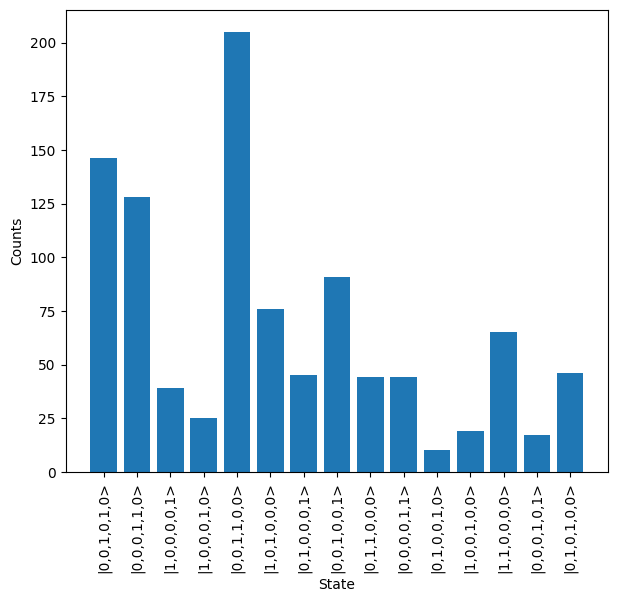
The return of this method is a Job, which can be used in the same way as any other job. For example, results can be downloaded and plotting using the code below.
[10]:
loaded_job.wait_until_complete()

results = loaded_job.get_result()
results.plot()